
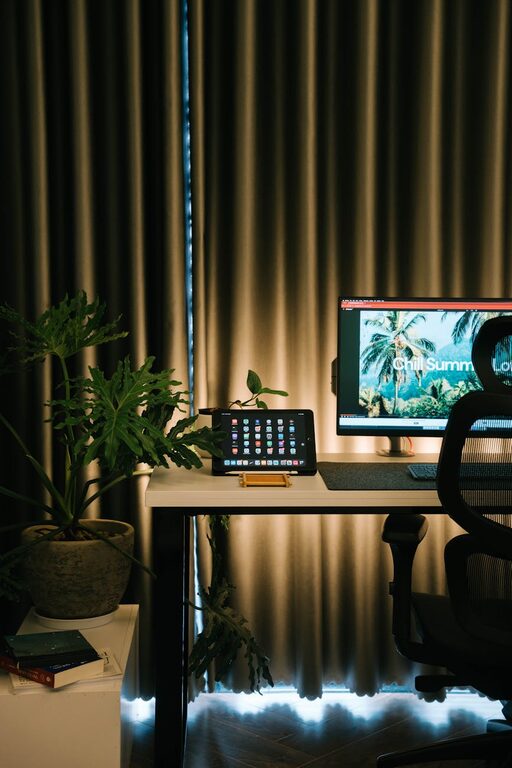
Creating a relaxing home workspace is essential for maintaining focus and well-being during your workday. With more people working remotely, having a space that feels calm and inviting can improve productivity and reduce stress. In this post, we’ll explore practical tips to transform your home workspace into a soothing environment that supports your workflow.
Why a Relaxing Workspace Matters
A well-designed workspace isn’t just about aesthetics. It affects how you feel and perform throughout the day. A cluttered, noisy, or uncomfortable area can lead to distractions, fatigue, and decreased motivation. Conversely, a calm workspace can help you stay organized, maintain energy, and keep a positive mindset.
Choose the Right Location
Find Natural Light
Whenever possible, set up your workspace near a window to benefit from natural light. Sunlight improves mood and alertness while reducing eye strain. If your space lacks windows, consider using full-spectrum bulbs that mimic daylight.
Minimize Distractions
Select a quiet corner away from high-traffic zones or noisy appliances. The fewer interruptions you face, the easier it is to stay focused on your tasks.
Keep Your Space Organized
Declutter Regularly
Remove items you don’t use daily. A tidy desk with only essential tools helps clear your mind and makes it easier to find what you need.
Use Storage Solutions
Invest in shelves, drawer organizers, or desk trays to keep papers, cables, and supplies neatly arranged. Labeling storage boxes can also save time.
Invest in Comfortable Furniture
Ergonomic Chair
Choose a chair that supports your posture and allows you to sit comfortably for long periods. Adjustable height and lumbar support are important features.
Proper Desk Height
Your desk should allow your elbows to rest at a 90-degree angle while typing. If needed, use a keyboard tray or adjustable desk to maintain ergonomic positioning.
Create a Personal and Soothing Atmosphere
Add Greenery
Plants not only brighten the room but also improve air quality and reduce stress. Easy-care options like succulents or pothos are great for busy individuals.
Use Calming Colors
Soft, neutral tones such as pale blues, greens, or beige can create a peaceful environment. Avoid overly bright or harsh colors that may cause visual fatigue.
Personal Touches
Display a few meaningful items like photos, inspirational quotes, or artwork that make you feel happy and motivated, without overcrowding your area.
Manage Lighting and Screen Setup
Adjust Screens to Eye Level
Position your monitor so the top of the screen is at eye level. This helps prevent neck and eye strain.
Control Ambient Lighting
Use adjustable desk lamps with warm lighting to supplement natural light, especially during darker hours. Avoid glare by angling screens away from direct light sources.
Incorporate Relaxation Techniques
Take Scheduled Breaks
Regular short breaks help reduce tension and maintain mental clarity. Use methods like the Pomodoro Technique—25 minutes of focused work followed by a 5-minute break.
Keep Refreshments Nearby
Having water, tea, or healthy snacks within reach encourages hydration and gentle energy boosts without interrupting workflow.
Use Noise Control Strategies
Soundproofing
If noise is an issue, consider using rugs, curtains, or acoustic panels to soften sounds. Closing doors and windows can also help.
Play Background Music or White Noise
Soft instrumental music or nature sounds can mask distracting noises and create a calming atmosphere. Choose sounds that help you focus without being intrusive.
Maintain Good Airflow
Proper ventilation contributes to comfort and alertness. Open windows when weather permits, or use a fan or air purifier to keep fresh air circulating.
Keep Technology Simple and Efficient
Avoid excessive cables or gadgets that can clutter your desk. Use wireless accessories where possible and organize cables with clips or sleeves to keep your workspace tidy.
—
By making these thoughtful choices, you can create a home workspace that supports your productivity and mental well-being. A relaxing environment helps you stay focused and comfortable, turning work into a more enjoyable experience. Start with small changes and adjust your setup over time to find what works best for you.